
What Is a Bank Account (ACH) Payment?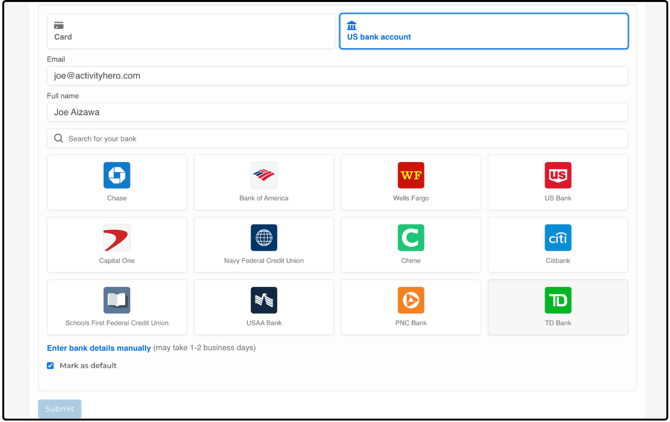
A bank account (ACH) payment lets families pay for registrations directly from their checking or savings account instead of using a credit card. This option has lower processing fees, but it takes a little longer to process than card payments.
Fees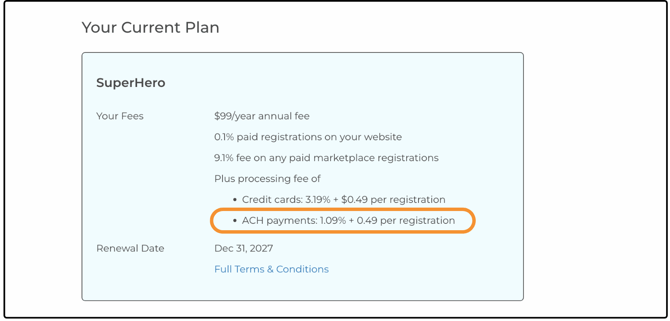
When using ACH / bank account payments there is a lower processing fee for SuperHero accounts:.
- 1.09% processing fee per transaction + $0.49 per registration
For comparison, credit card payments are charged at 3.19% per transaction and $0.49 per registration.
Processing Time
ACH payments take longer to clear and settle than credit card payments.
ACH / Bank Account: typically 3–5 business days to settle, which can be 5-7 calendar days if the payment is made between Tuesday to Saturday.
Credit Card: almost instantaneous
Because of this delay, ACH payments are only available in situations where there is sufficient time before a program begins.
To ensure successful settlement, ACH payments are limited in the following ways:
ACH payments can only be used if the program start date is more than 14 days away at the time of payment.
If the program starts within 14 days, a credit card payment is required.
On-Demand Subscriptions
On-demand subscriptions cannot be purchased using ACH.
These subscriptions provide immediate access, which requires instant payment confirmation.
Invoices
Invoice eligibility for ACH is based on the first meeting date.
If the first meeting date is at least 14 days away, ACH / bank account payment will be available.
If it is within 14 days, only a credit card payment will be shown.
Refunds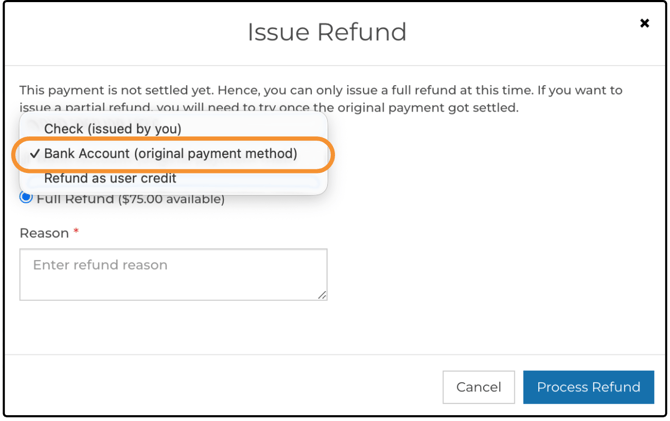
Refunds for ACH payments are more limited due to bank processing timelines. This is why the 14-day buffer is required before a program starts.
Refund options include bank account refunds when ACH is used.
Some refund scenarios may not be available compared to credit card payments.
Where You’ll See ACH Payments
Checkout
The ACH / bank account option appears during checkout on the cart page when the registration is eligible.
Account Settings
ACH is also available to families when adding a payment method in account settings.
Manage Your Plan
The Manage Your Plan page now displays bank fees alongside other ActivityHero fees.
Registration Reports
Registration reports clearly indicate when a payment was made via bank account (ACH).
Setting up an ACH/ Bank Account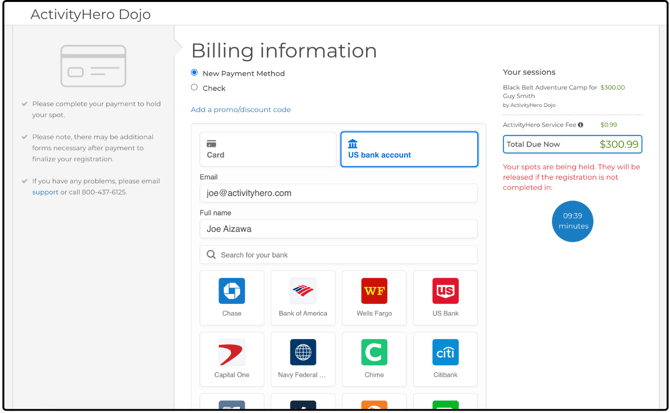
From the cart or when adding a payment method (My Account > Payment Settings), click the Bank Account tab. Your email address and name should be auto-filled from your account information, but verify that they are correct.
Use the search to find your bank in the available options, or click your bank directly from the list.
Enter your online banking credentials to connect your account.
Enter bank details Manually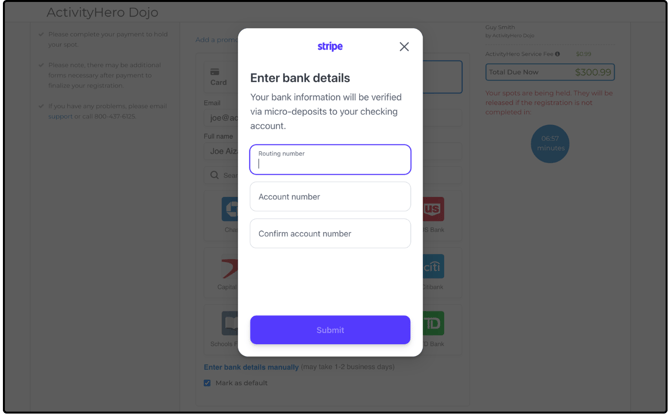
If you can’t find your bank, or if you prefer to enter the information yourself, select Enter bank details manually. It may take 1–2 business days to complete setup.
Enter your routing and account numbers.
Summary
ACH / bank account payments offer a lower-fee alternative to credit cards but require additional time to process. To allow sufficient time for the payment to be completed, this payment method is only available for programs and invoices that start at least 7 days in the future. For immediate access or last-minute registrations, credit card payments remain the best option.